How to Secure Your Personal Data Amid Increasing AI Surveillance
The digital world's changed, big time. What used to be basic data collection is now full-blown AI surveillance—like a massive net of cameras and sensors just watching us. It's everywhere, from city streets to that "smart" speaker in your kitchen. Every click and swipe leaves a trail. It's supposed to make life easier, sure, but it's a total nightmare for privacy. You've gotta understand the system before you can even try to take back your digital space.

How AI Surveillance Actually Works
Modern AI isn't just filming you or saving text. It's... well, it's predicting things. Governments and big companies use facial recognition to pick faces out of crowds. They even use behavioral analysis to spot "suspicious" stuff. Plus, platforms are always digging through your "likes" and history. They're basically building a "digital twin" of you. Kinda creepy, right?
Even when you aren't doing anything, metadata tells the whole story. It's the "data about the data." Phone logs, Wi-Fi pings... it all gets stitched together to map out your friends and your daily routine. Most of this happens without us even knowing, which is what makes this invisible AI monitoring so powerful—and honestly, a bit scary.
Where Your Data is Leaking
Your data's leaking from four main spots. First, online activity—advertisers love those hidden trackers that follow you everywhere. Second? Your phone. It's always shouting out your location and unique IDs. Even simple apps are constantly asking for your camera or contacts when they really don't need 'em.
Third, there's the "Internet of Things" stuff. Smart speakers and wearables are always listening and tracking your moves. Finally, public sensors—like those license-plate readers—watch you in the real world. Then you've got data brokers. They take all these pieces and build massive profiles on everyone. It's a lot of data points.
Building Your Digital Fortress
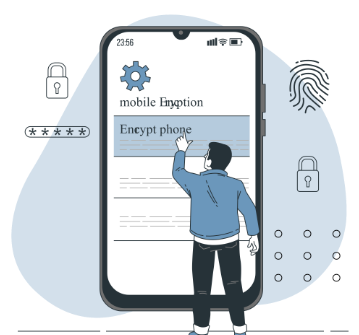
Look, staying safe doesn't mean you need to be some tech wiz. It's mostly just data hygiene. Start with your devices. Use a solid passcode and make sure encryption is on (BitLocker or FileVault). If someone nabs your laptop, encryption makes sure they can't read a thing.
Next thing: check those app permissions. Go into your settings and kill access to your location or mic for anything that doesn't need it. Simple rule: fewer apps equals a smaller footprint. Just delete the stuff you don't use and unsubscribe from all those annoying emails. Shrink that "attack surface," you know?

The Privacy Toolkit: Essential Apps and Services
Switching from mainstream tools to privacy-focused alternatives is one of the most effective ways to block AI tracking.
Browsers: Using Brave or Firefox is a crucial step as these browsers block trackers and".
Search Engines: Switching to DuckDuckGo ensures your queries are private; unlike Google, it doesn't log your search history or profile you for advertising.
Messaging: Signal or Session are the gold standards for communication because they use End-to-End Encryption (E2E), meaning only you and the recipient can read the chat.
Password Managers: Tools like Bitwarden generate unique, complex passwords for every service, so a breach at one site doesn't compromise all your accounts.
VPNs: Mullvad or ProtonVPN help hide your IP address and encrypt your traffic, which is especially important when using public Wi-Fi.

Your Rights Under the Law
While technology moves fast, legal protections are slowly catching up. In the European Union, the GDPR grants citizens the right to access, correct, and erase their personal data. Similarly, in the Philippines, the Data Privacy Act of 2012 (RA 10173) gives you robust rights to be informed about how your data is processed and to demand its removal if it is inaccurate or unnecessary.
In the United States, privacy laws are a patchwork, with states like California (CCPA) leading the way. Regardless of where you live, you can often exercise these rights by looking for "Privacy Request" links on websites or using the Global Privacy Control (GPC) setting in your browser to automatically signal that you opt out of data selling.

Defining Your Threat Model
Not everyone needs the same level of security. To protect yourself effectively, you must identify your Threat Model: who wants your data, and what are the consequences if they get it?
Low Risk (General Public): Your main threats are mass surveillance and identity theft. Use MFA (Multi-Factor Authentication), unique passwords, and tracker-blocking extensions.
Medium Risk (Professionals): You may be targeted by corporate monitoring or sophisticated phishing. Add a trusted VPN to your routine and move sensitive conversations to Signal.
High Risk (Activists/Journalists): You face potential state-level surveillance. You should use "Live" operating systems like Tails, hardware security keys (like YubiKey), and strict compartmentalization of your digital identities.
Privacy is a journey, not a destination. By staying informed and making small, consistent changes to your digital habits, you can navigate the era of AI surveillance with confidence.