How to Update Your Device Software Safely

Updating the software on your devices is very important to ensure the stability, security, and performance of your device. Software updates usually include bug fixes, new features, and enhancements that improve the user experience. Moreover, they fix vulnerabilities that make your device vulnerable to cyber threats which includes malware, data breaches, and illegal access. Besides, keeping your device safe from new threats, you should optimize its functionality by regularly installing the most recent updates. For your personal use and network, keeping your software up to date creates a safer and more effective way of experiencing the internet.
Update Windows OS
Step 1: Find Start
Click Start

Step 2: Find Settings
Click Settings

Step 3: Windows Update
Click Windows Update

Step 4: Check For Updates
Click Check for Updates

If a feature update is available for your device, it will appear separately on the windows update page.

Step 5: Download and Install
To install it, click Download and install now

Update macOS
Step 1: Icon
Click on the Apple Icon

Step 2: System Settings
Click on the System Settings

Step 3: General
Click on the General

Step 4: Software Update
Click on the Software Update

Step 5: Update Now
If a software update is available, you'll have the option to install it by clicking the Upgrade Now button

Update on Android
Step 1: Settings
Click on Settings

Step 2: Find System or About Phone
Scroll down to the bottom, and Click on About Phone

Step 3: New Version Available
If updates are available, you will see in the Top. Click on the New Version Available

Step 4: Install now
Click Install Now

Update iOS
Step 1: Settings
Click on Settings

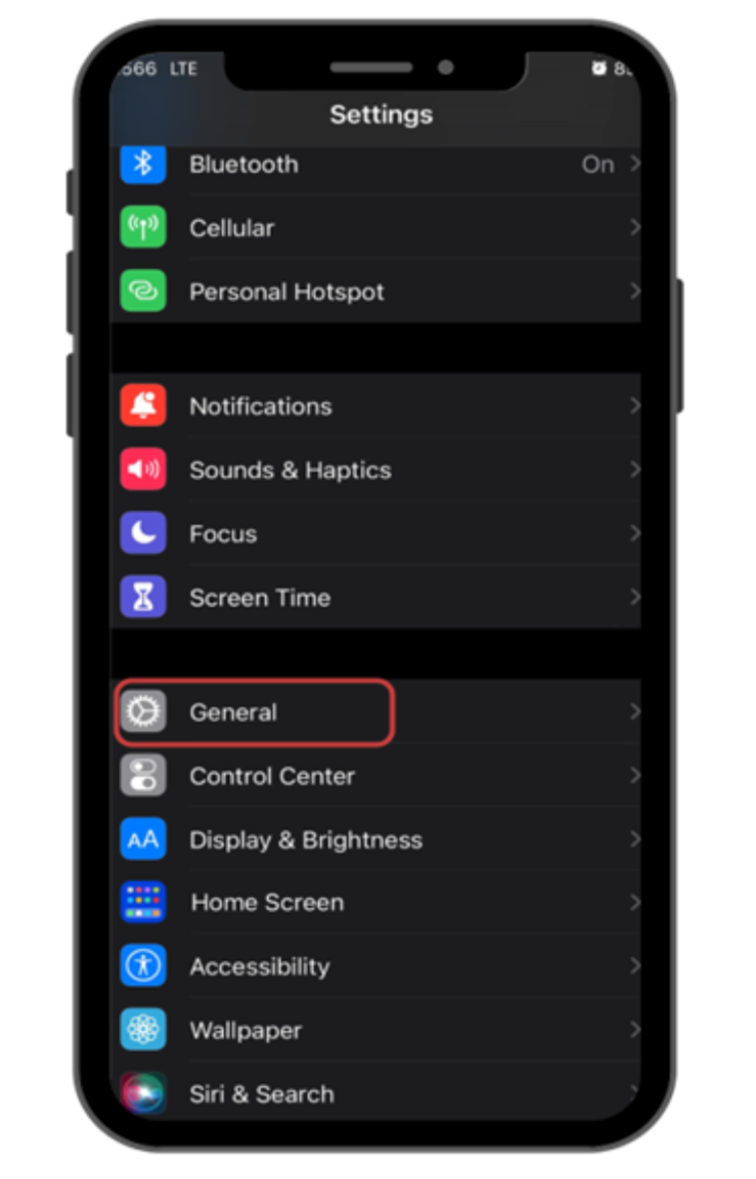
Step 2: General
Click on General
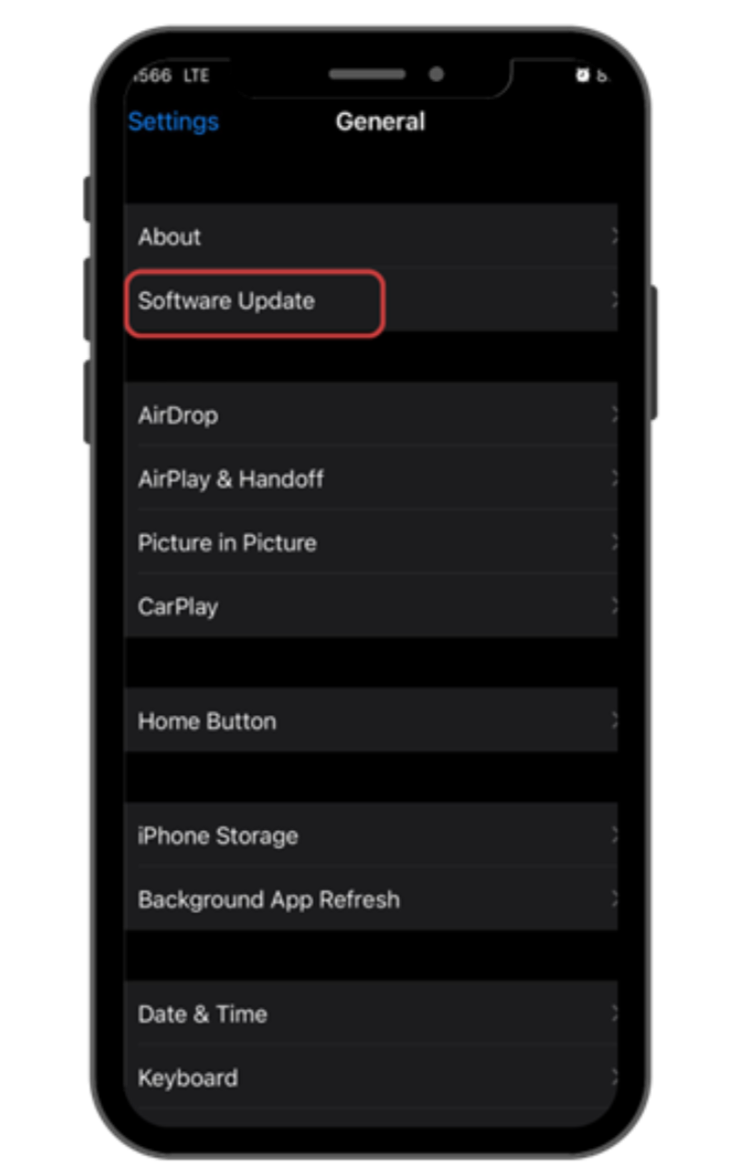
Step 3: Software Update
Click on Software Update
Step 4: Update Now
Click on Update Now